← Back to all articles
SafeGuest + Guesty: The Ultimate Protection Combo for Short Let Property Managers
5 September 2026
Guesty and SafeGuest have partnered to help vacation rental managers automate guest verification, reduce reservation risk, collect security deposits, and protect every booking without adding complexity to their daily operations.
Guesty and SafeGuest have partnered to give vacation rental professionals a smarter way to protect every reservation. By combining Guesty's AI-powered property management platform with SafeGuest's intelligent guest verification, reservation risk assessment, automated deposits, and damage protection, hosts can streamline operations while booking with greater confidence.
Protect Every Reservation with Guesty and SafeGuest
SafeGuest is completely FREE for Guesty hosts to activate, making it easy to add an extra layer of protection without increasing operating costs. With worldwide coverage, AI-powered guest verification, intelligent reservation risk assessments, and automated security deposits or damage waivers, hosts can prevent costly issues before they happen rather than react after check-in. Together, Guesty and SafeGuest empower property managers to book with greater confidence while creating a safer experience for every reservation, anywhere in the world.
About Guesty
Guesty is an AI-powered property management platform built to help hospitality businesses simplify operations, scale efficiently, and deliver exceptional guest experiences. Designed for everyone from individual hosts to enterprise property managers, Guesty brings reservations, guest communications, channel management, automation, and revenue tools into one intelligent platform. By reducing operational complexity through advanced technology, Guesty empowers vacation rental professionals to spend less time managing day-to-day tasks and more time growing their business.
That same commitment to smarter operations makes SafeGuest a natural extension of the Guesty platform. Together, Guesty and SafeGuest help hosts automate guest verification, leverage AI-powered reservation risk insights, establish financial accountability with security deposits or damage waivers, and access industry-leading damage protection—all without disrupting existing workflows. The result is a seamless, prevention-first solution that helps vacation rental professionals reduce risk, protect every booking, and confidently scale their business.
Connect Your Guesty Account to SafeGuest
Step 1: Sign into Your Guesty Account
Step 2: Navigate to Marketplace
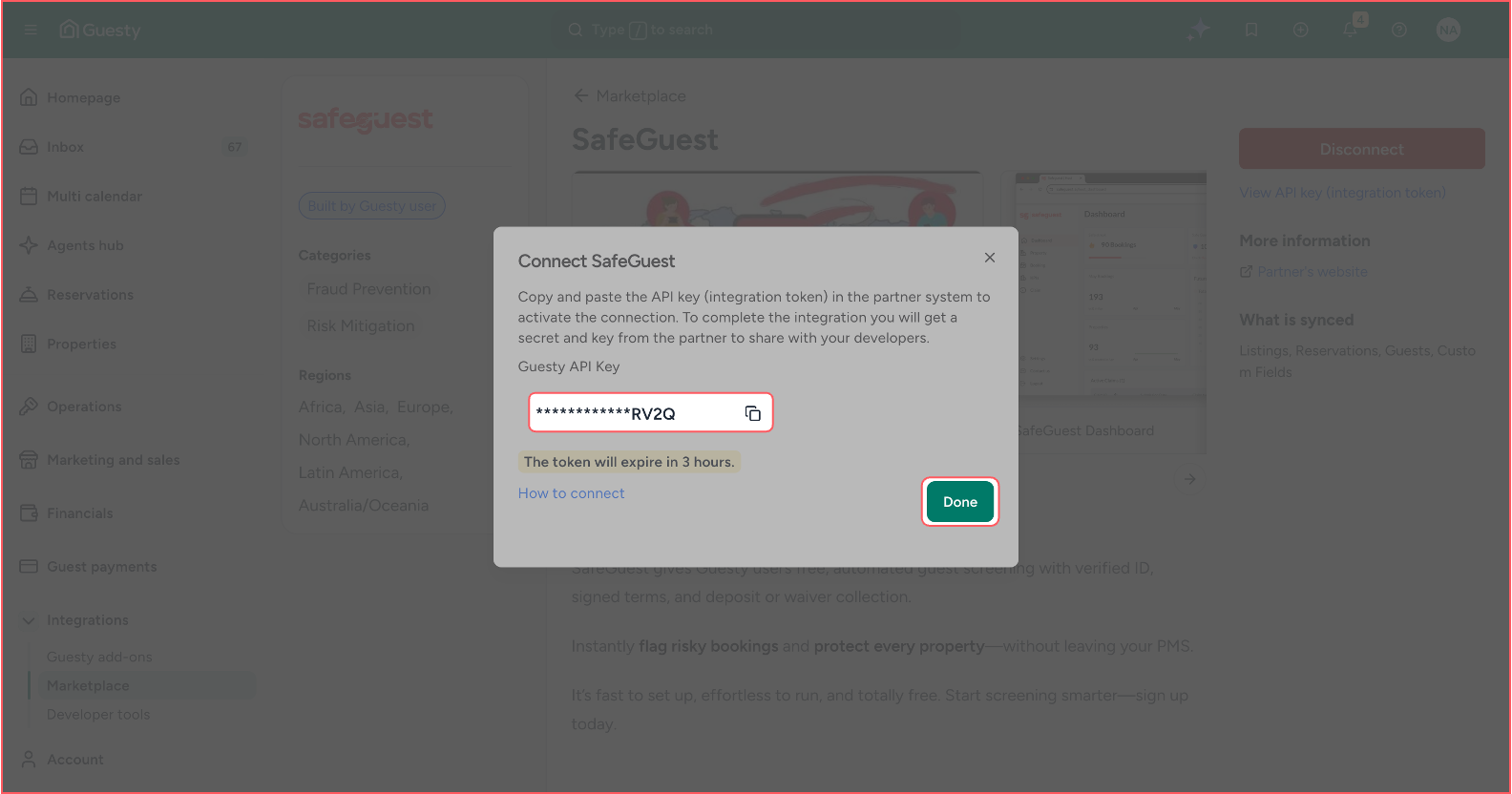
Step 3: Connect SafeGuest and Generate Integration Token
Step 4: Create your SafeGuest Account
Step 5: Verify Your Email Address
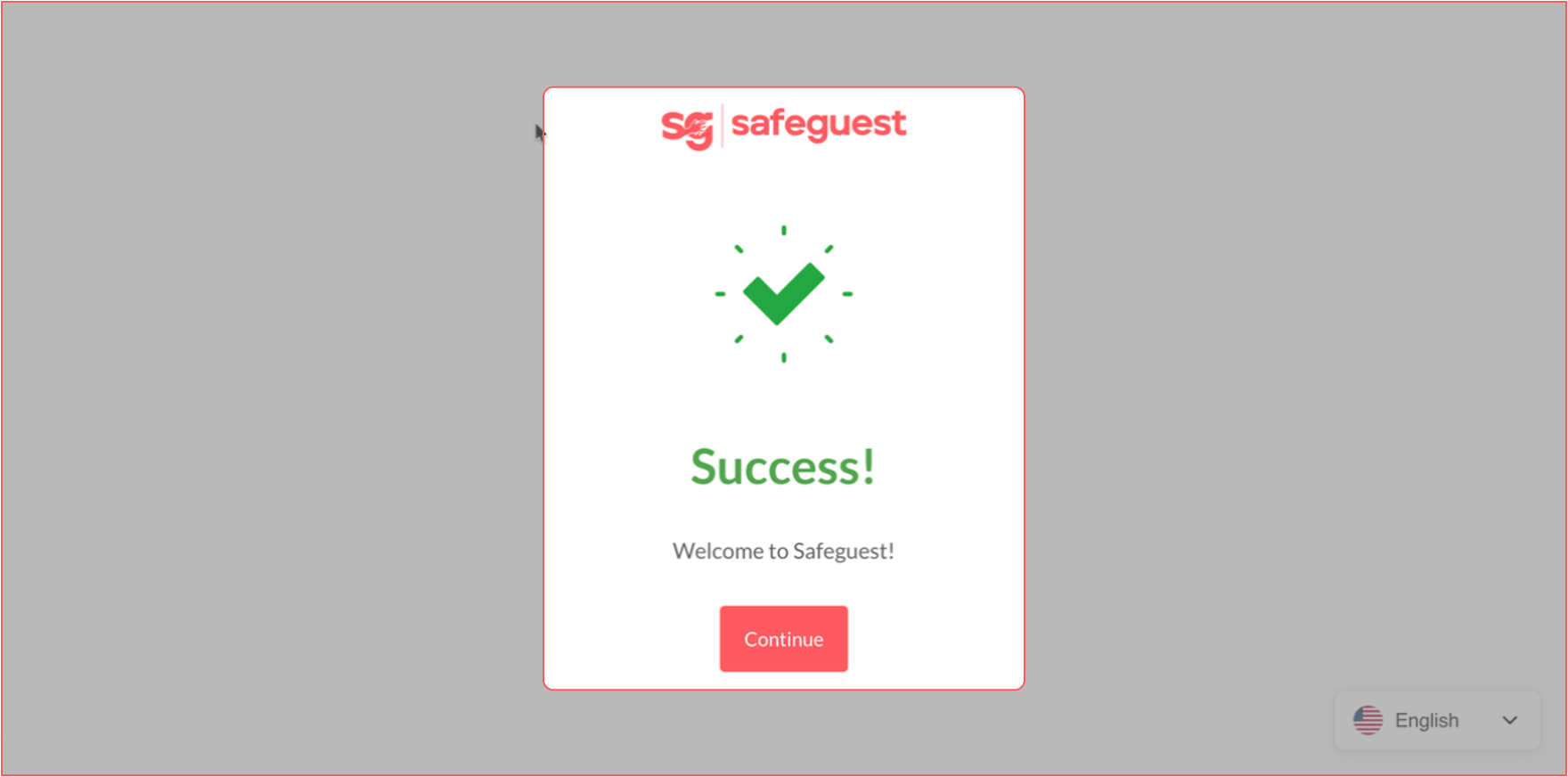
Step 6: Select Guesty During Onboarding
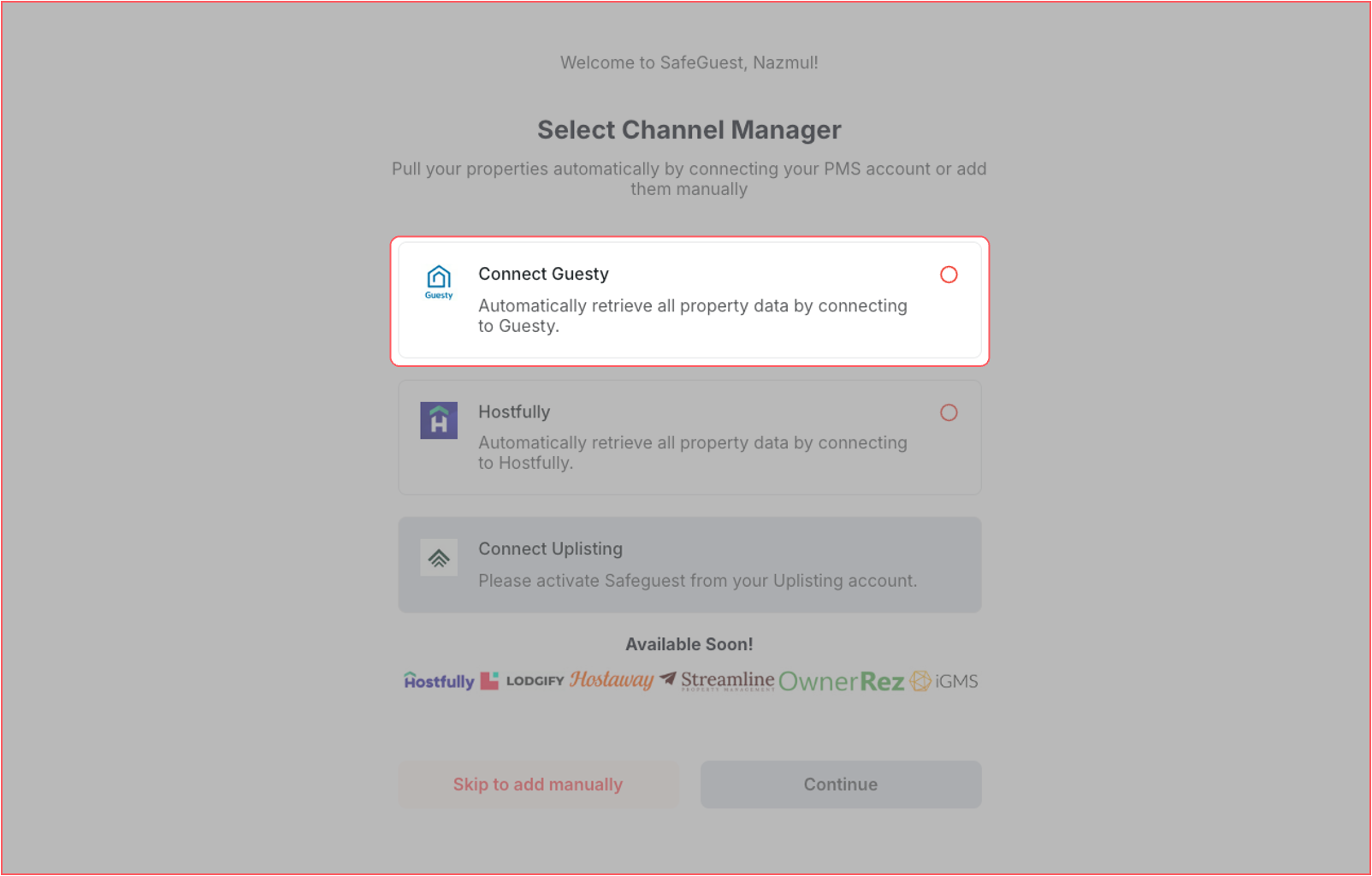
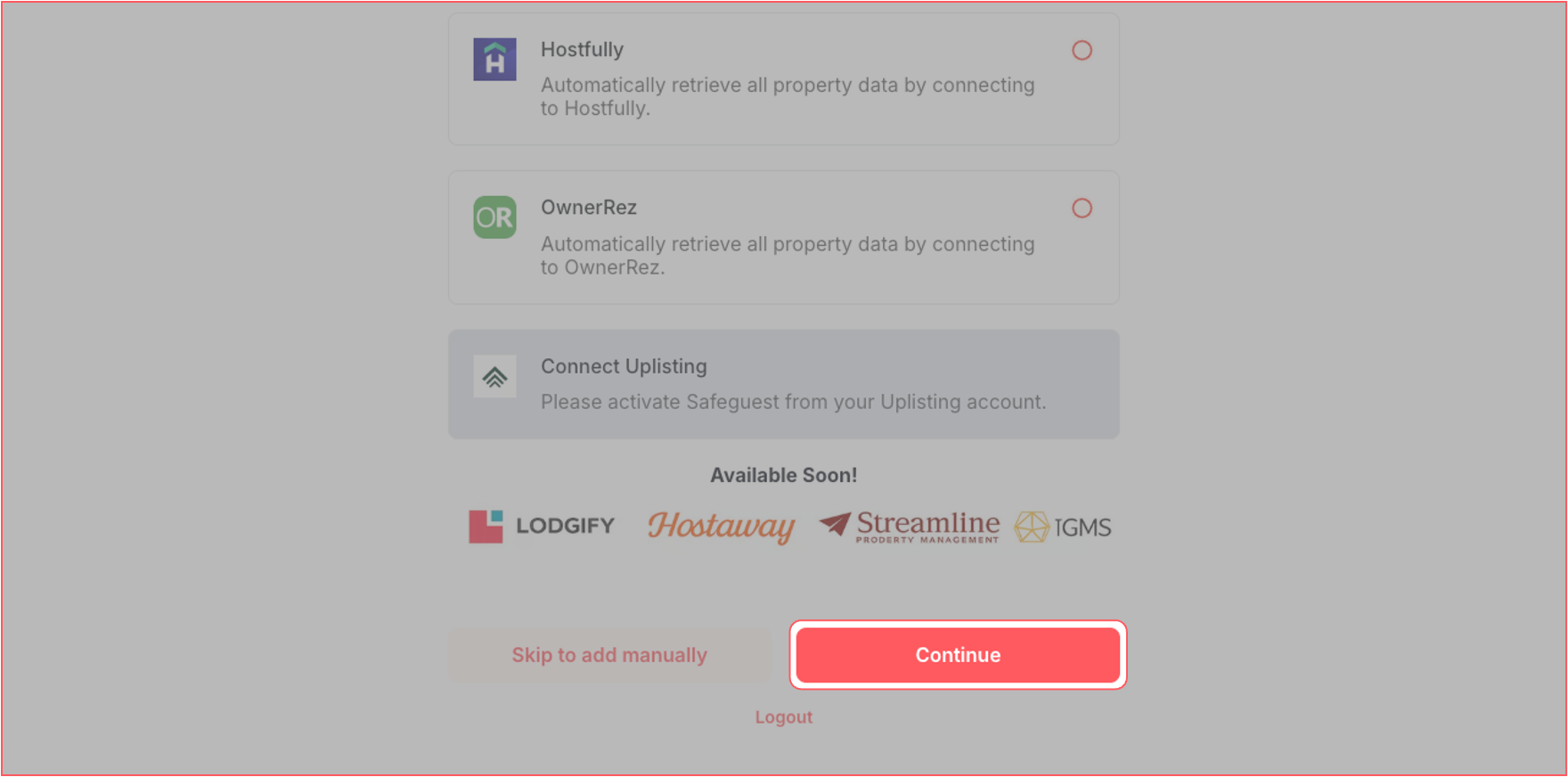
Step 7: Complete the Setup Banner Steps
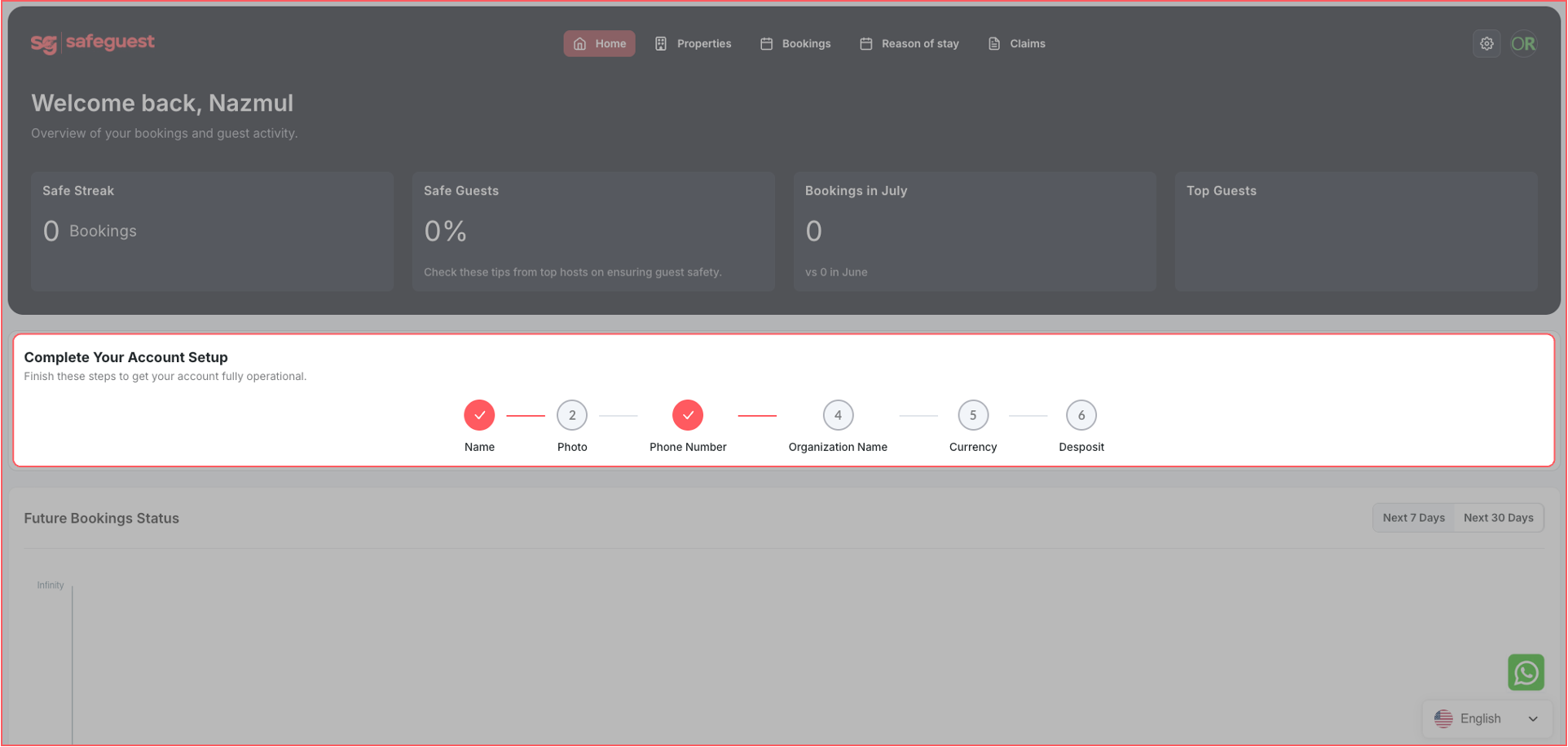
Step 8: Go to your SafeGuest Settings Page
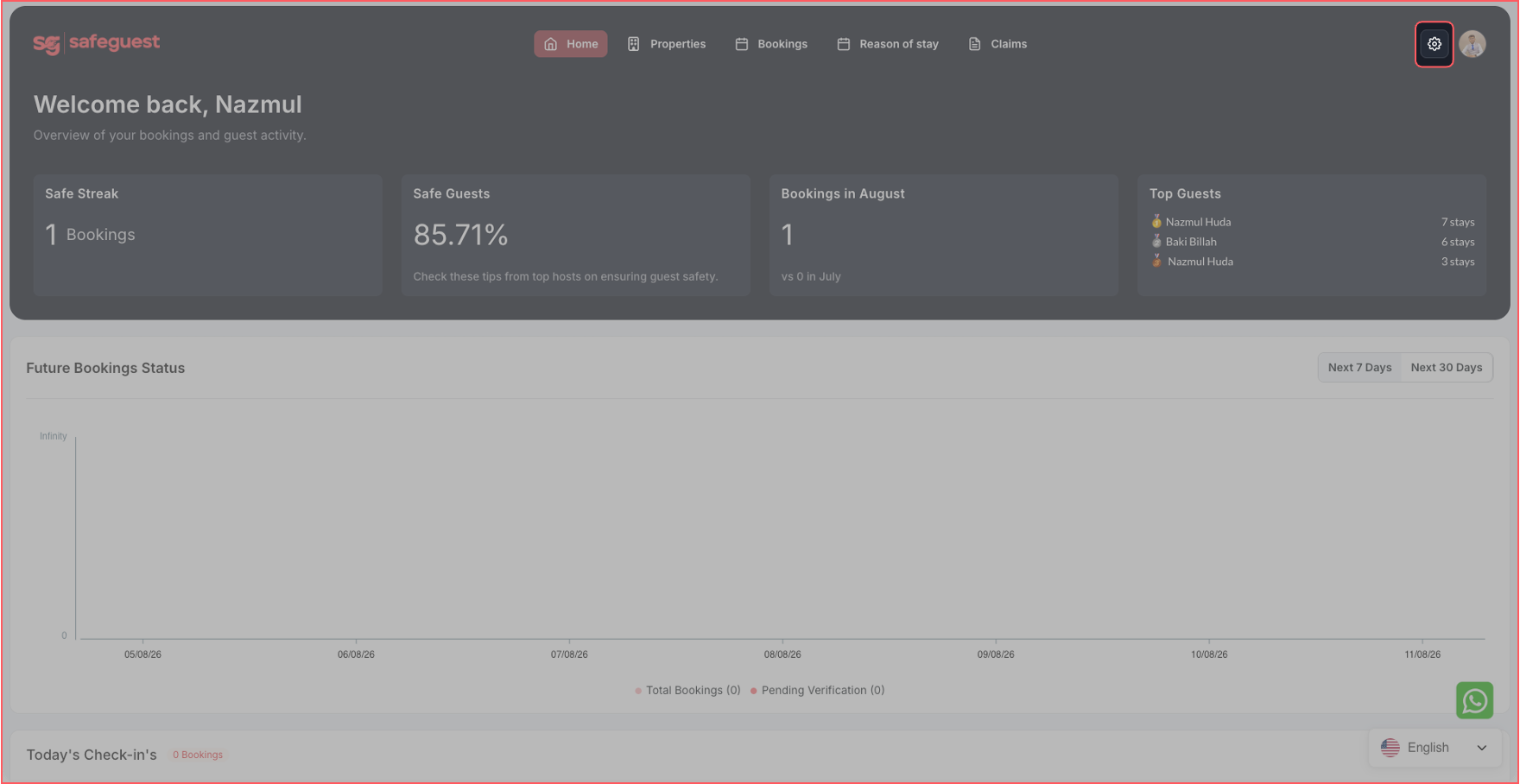
Step 9: Update Profile Details
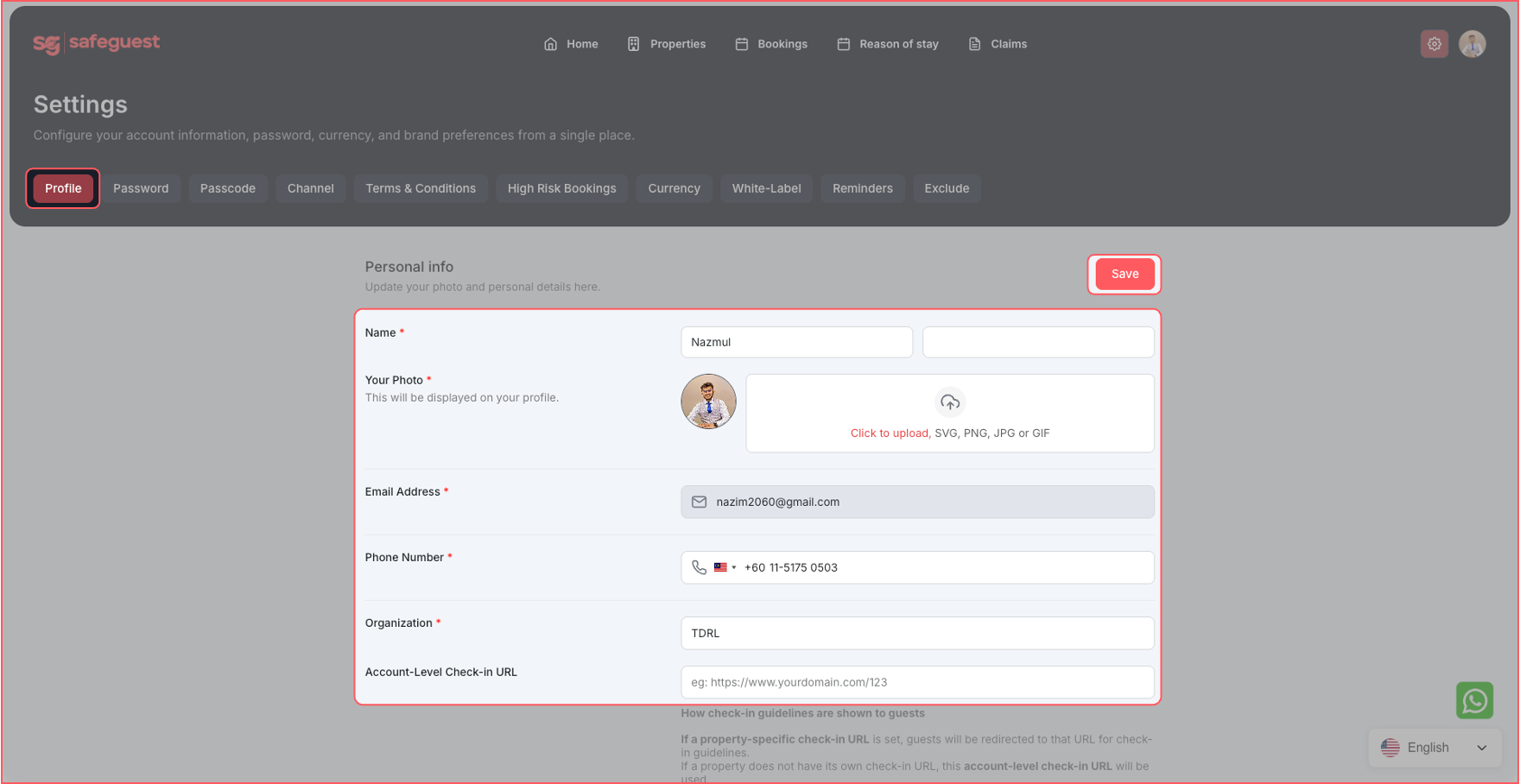
Step 10: Setup High Risk Bookings Details
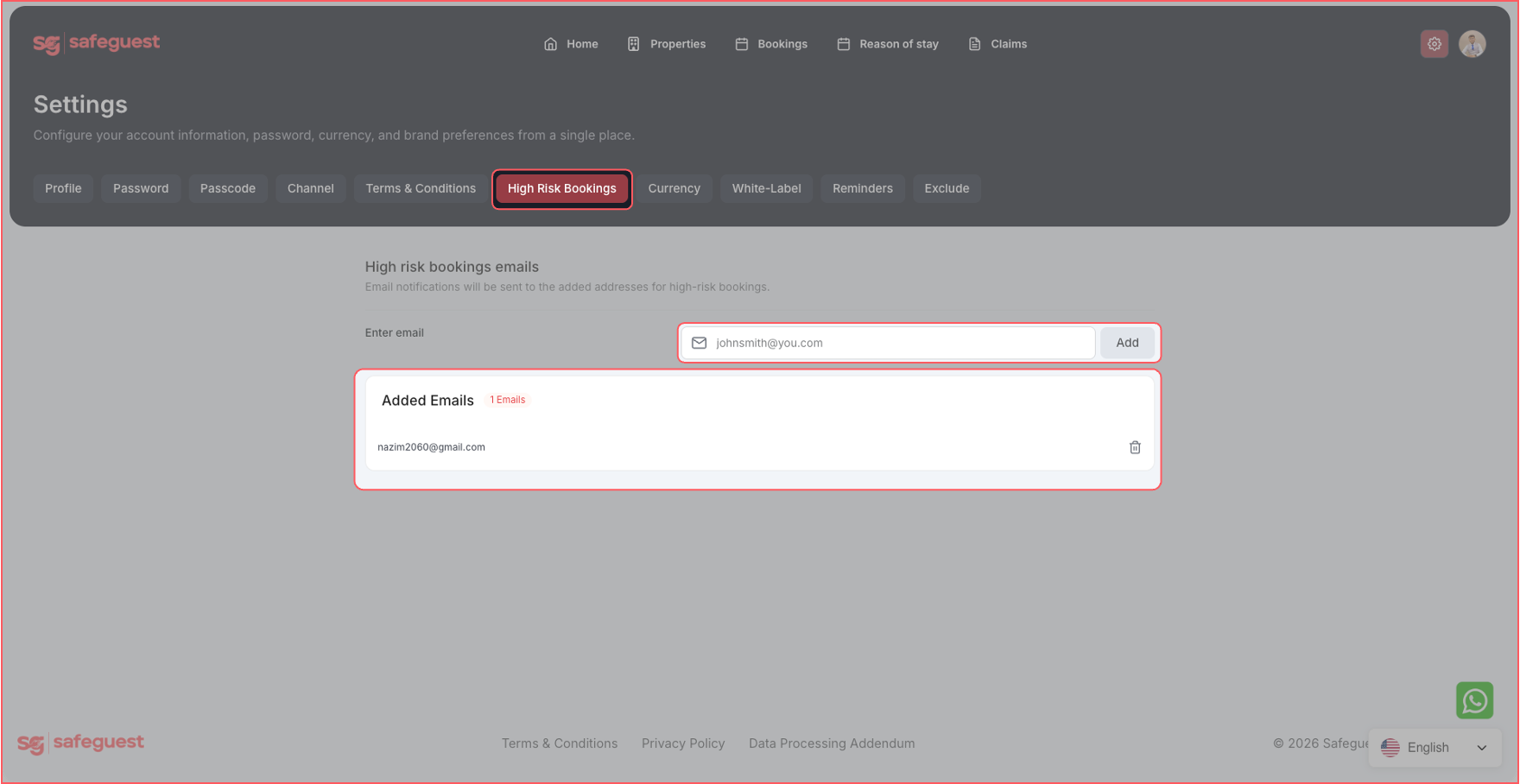
Step 11: Setup Currency and Security Deposit Details
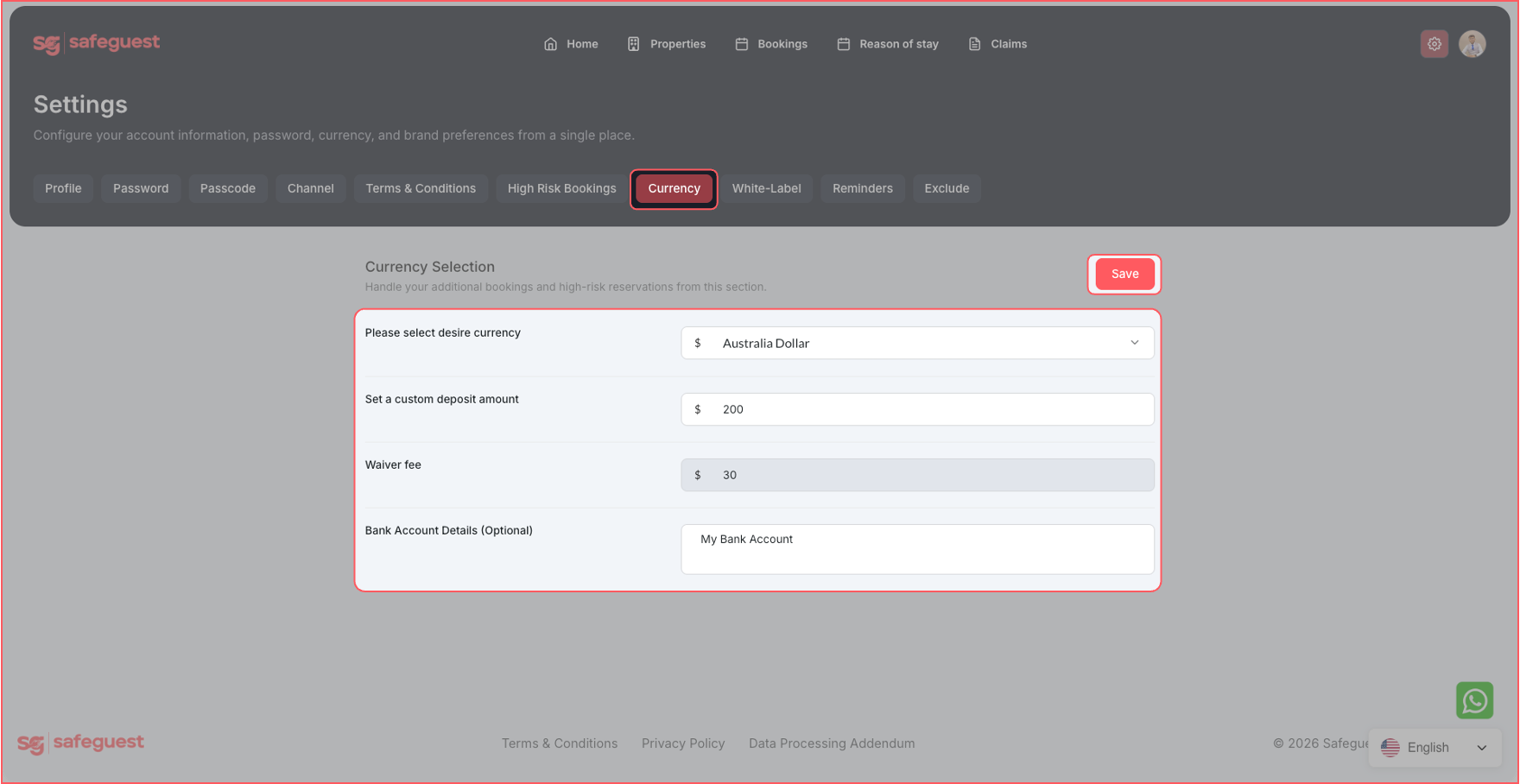
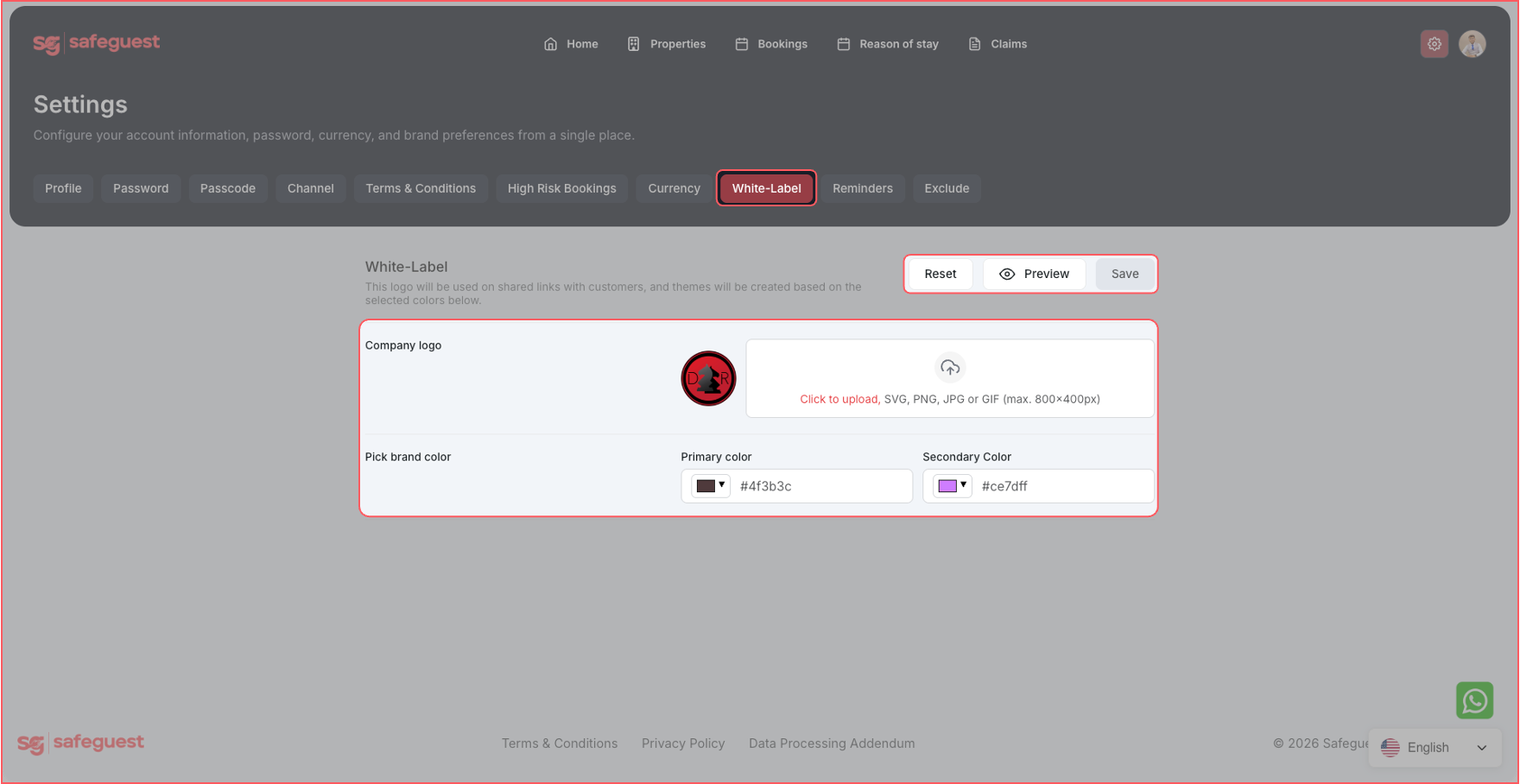
Step 12: Setup White Label Details
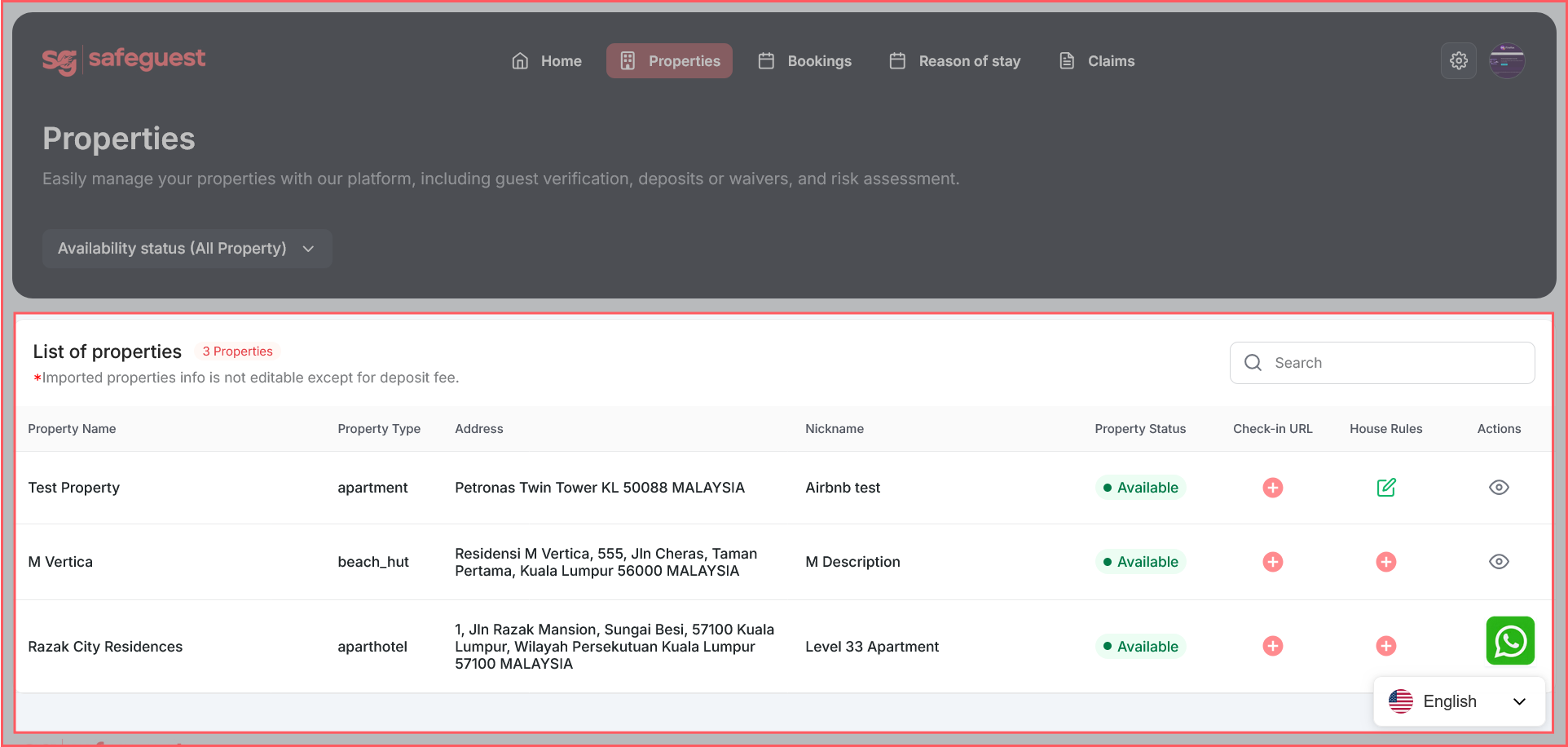
Step 13: Verify Your Properties in SafeGuest
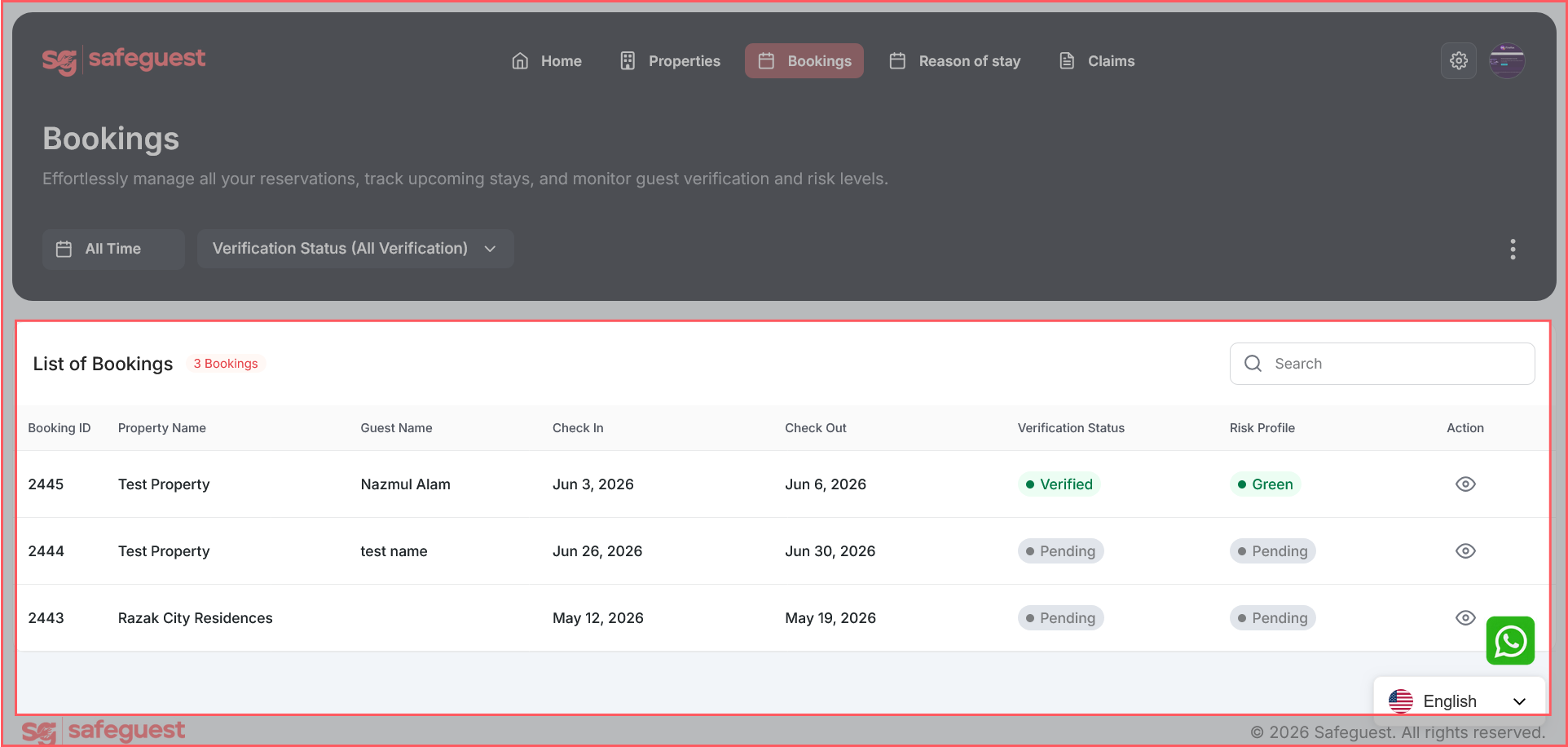
Step 14: Verify Your Bookings
Step 15: Setup Automated Messages
You’re all booked for {{listing_nickname}} — exciting!
Before your check-in details can be shared, your host requires a quick ID verification. It usually takes under 2 minutes.
This helps confirm the identity of the guest staying at the property and supports a safer check-in experience for guests, hosts, and neighbors.
Have your government-issued photo ID ready (passport, driver’s license, or national ID), and you’re ready to get started.
This is a host requirement managed securely by SafeGuest and is not imposed by the booking platform. Your data is encrypted and protected in line with our privacy policy.
You’re almost set! Once your ID verification is complete, your check-in details can be released.
Complete your ID verification here:
{{reservation_verification_link}}
Questions? Confirm anytime with your host via the booking platform using Booking Confirmation Code {{confirmation_code}} .
— Team SafeGuest
Guesty and SafeGuest have partnered to give vacation rental professionals a smarter way to protect every reservation. By combining Guesty's AI-powered property management platform with SafeGuest's intelligent guest verification, reservation risk assessment, automated deposits, and damage protection, hosts can streamline operations while booking with greater confidence.
Protect Every Reservation with Guesty and SafeGuest
SafeGuest is completely FREE for Guesty hosts to activate, making it easy to add an extra layer of protection without increasing operating costs. With worldwide coverage, AI-powered guest verification, intelligent reservation risk assessments, and automated security deposits or damage waivers, hosts can prevent costly issues before they happen rather than react after check-in. Together, Guesty and SafeGuest empower property managers to book with greater confidence while creating a safer experience for every reservation, anywhere in the world.
About Guesty
Guesty is an AI-powered property management platform built to help hospitality businesses simplify operations, scale efficiently, and deliver exceptional guest experiences. Designed for everyone from individual hosts to enterprise property managers, Guesty brings reservations, guest communications, channel management, automation, and revenue tools into one intelligent platform. By reducing operational complexity through advanced technology, Guesty empowers vacation rental professionals to spend less time managing day-to-day tasks and more time growing their business.
That same commitment to smarter operations makes SafeGuest a natural extension of the Guesty platform. Together, Guesty and SafeGuest help hosts automate guest verification, leverage AI-powered reservation risk insights, establish financial accountability with security deposits or damage waivers, and access industry-leading damage protection—all without disrupting existing workflows. The result is a seamless, prevention-first solution that helps vacation rental professionals reduce risk, protect every booking, and confidently scale their business.
Connect Your Guesty Account to SafeGuest
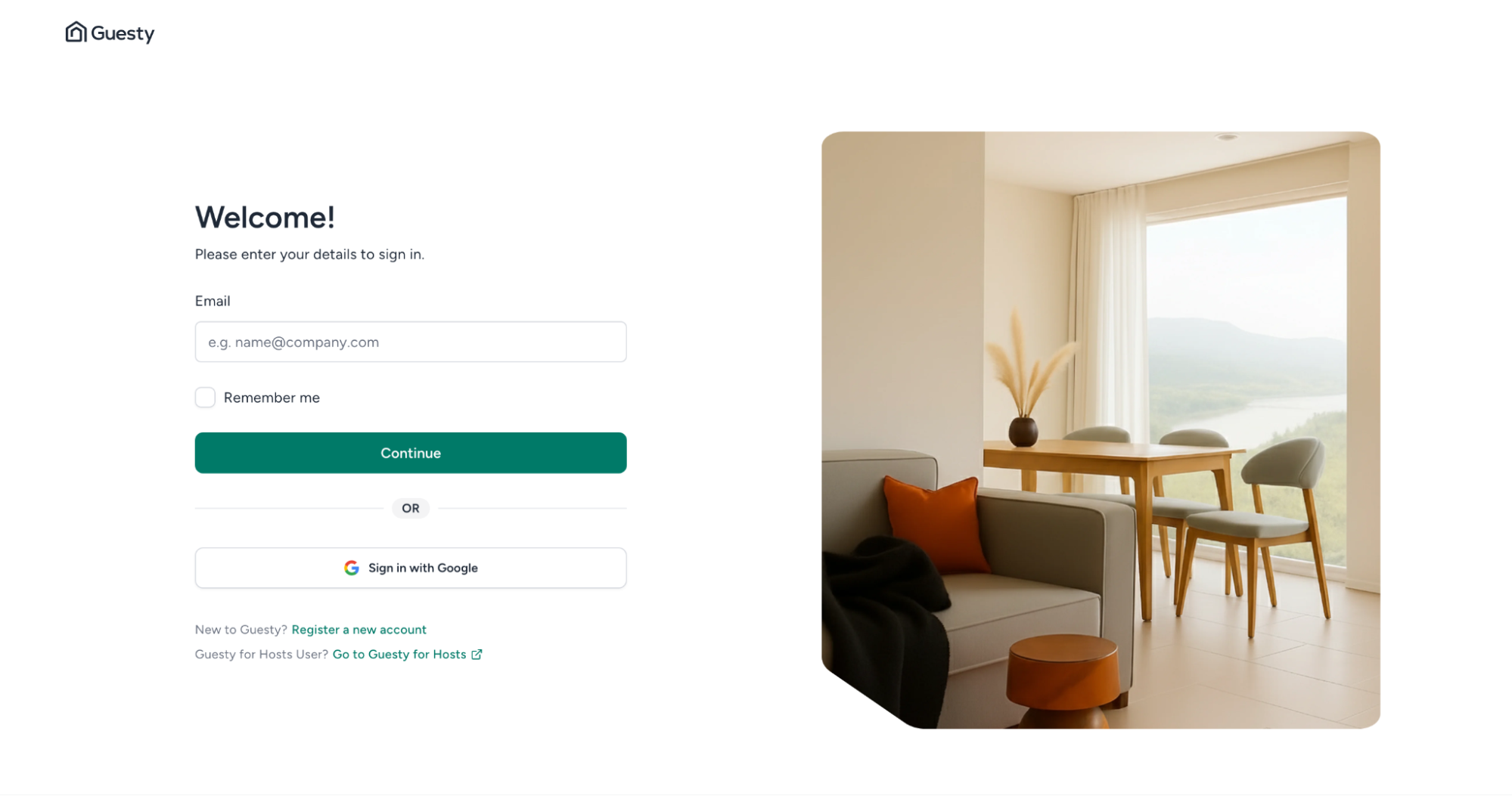
Step 1: Sign into Your Guesty Account
- Login into your Guesty account
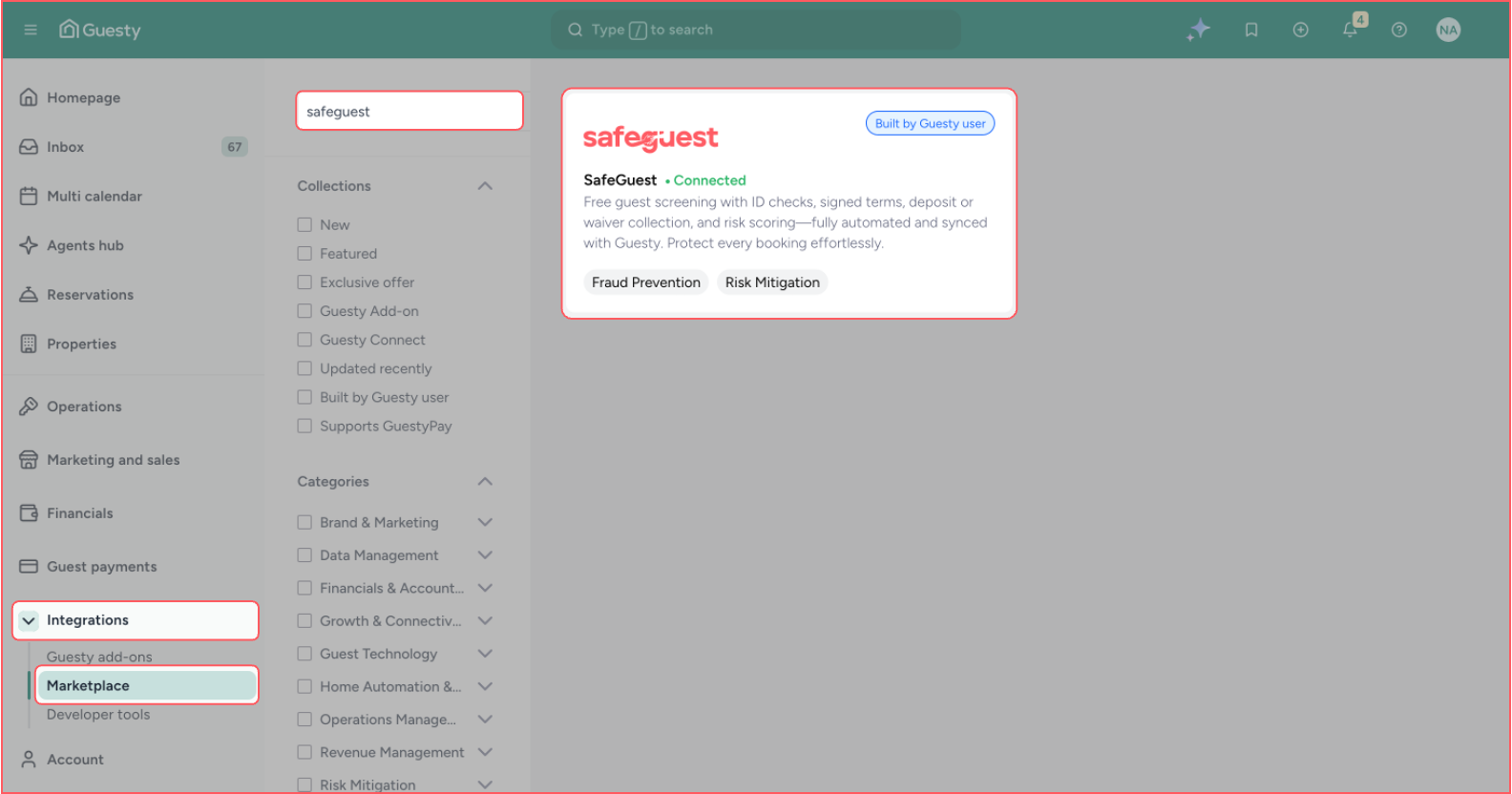
Step 2: Navigate to Marketplace
- Left Sidebar → Integrations → Marketplace → Search “SAFEGUEST”
- Click on “SafeGuest” from the searched results
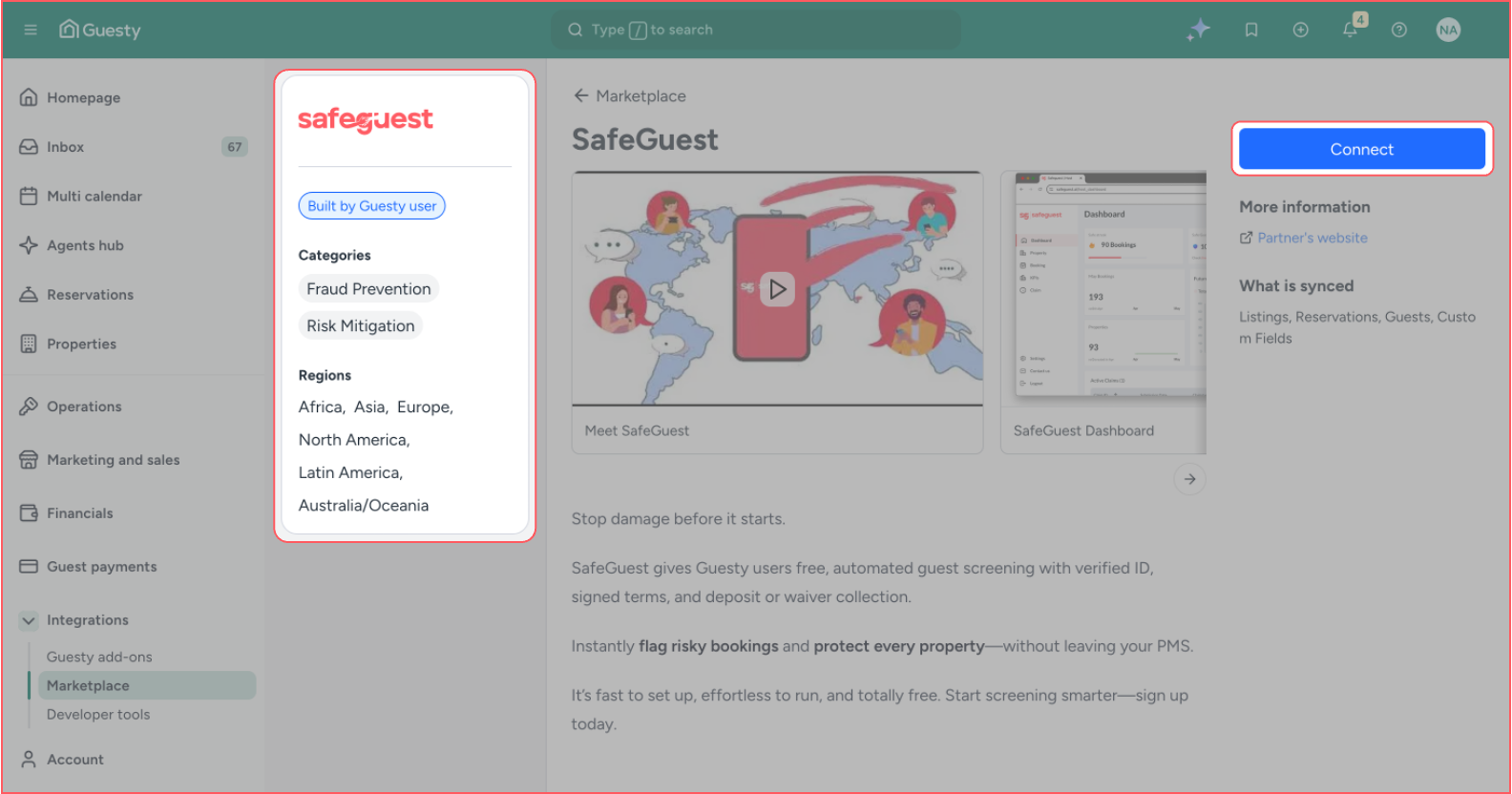
Step 3: Connect SafeGuest and Generate Integration Token
- When “SafeGuest” is clicked from the searched results, a “Connect” button will appear
- Click the “Connect” button and a pop-up will appear, where you can see the token
- Click the “Copy” icon and then click the “Done” button
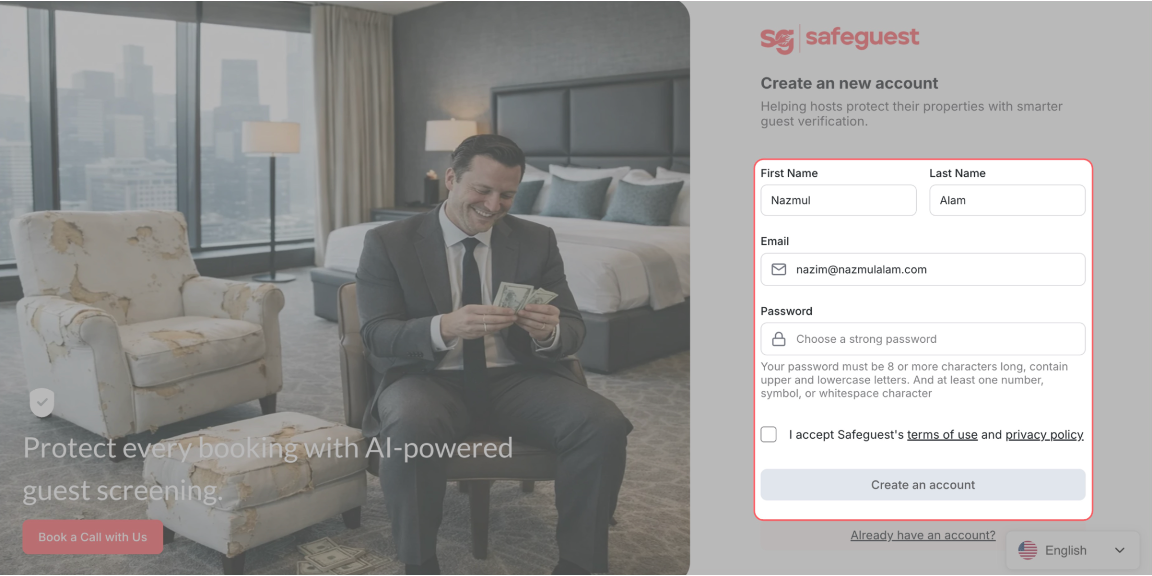
Step 4: Create your SafeGuest Account
- Enter your details
- Accept the terms and conditions
- Click the Create an account button
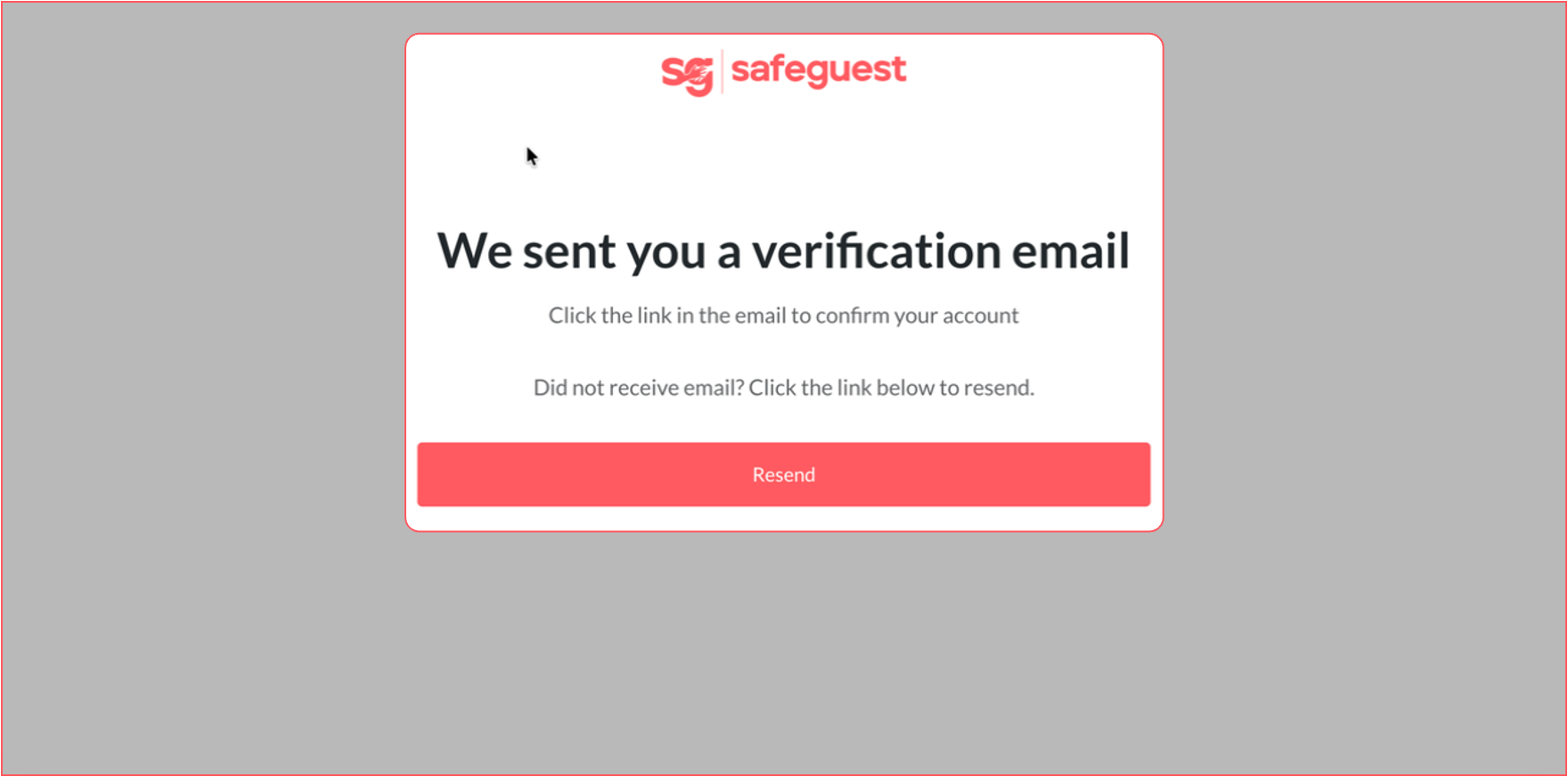
Step 5: Verify Your Email Address
- A verification email will be sent to the registered email address
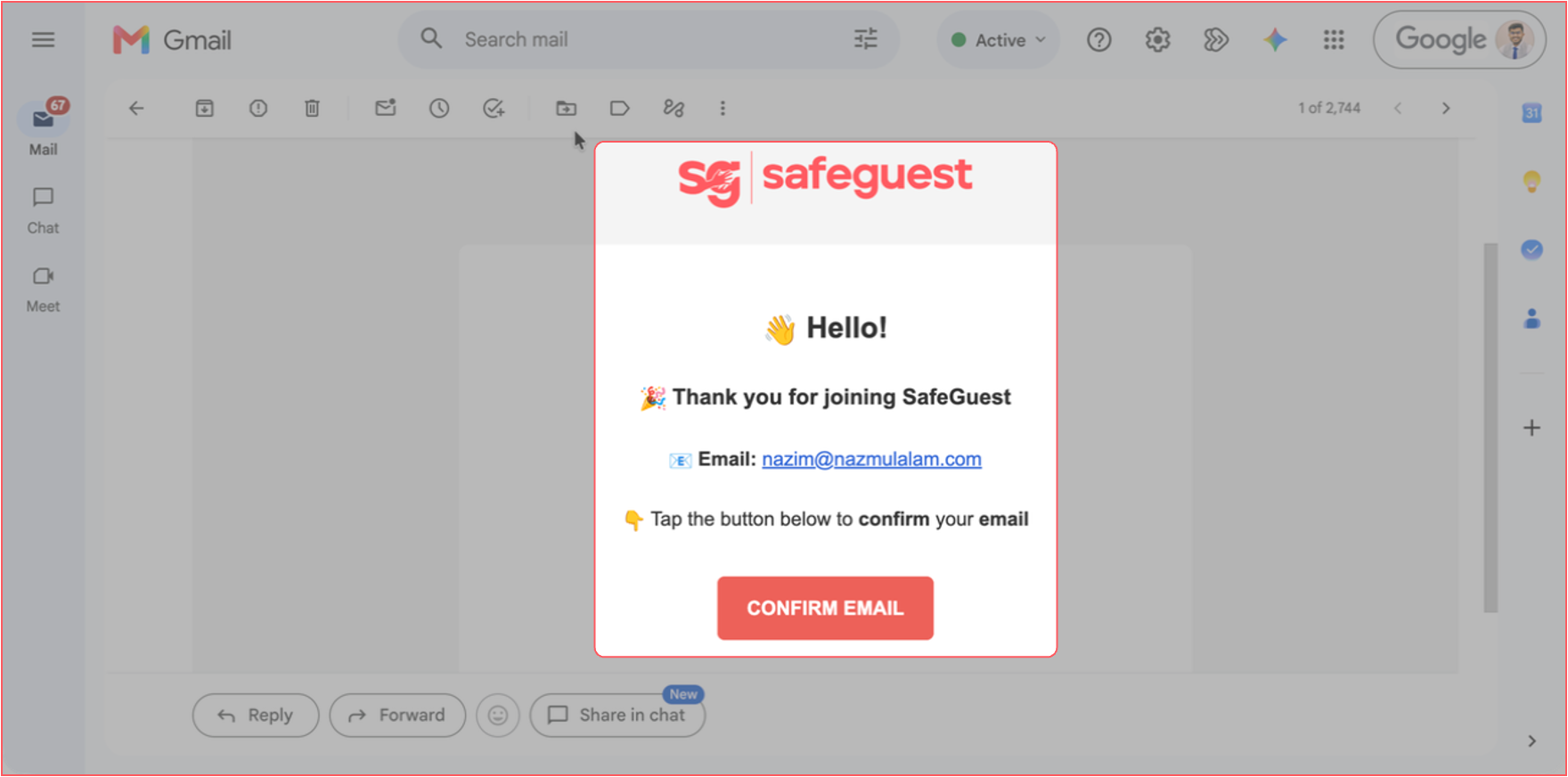
- Open the verification email and click “Confirm Email”
- Click Continue on the confirmation page
Step 6: Select Guesty During Onboarding
- On the SafeGuest onboarding screen, select Guesty from the list of integrations, then click Continue.
Step 7: Complete the Setup Banner Steps
Step 8: Go to your SafeGuest Settings Page
Step 9: Update Profile Details
Step 10: Setup High Risk Bookings Details
Step 11: Setup Currency and Security Deposit Details
Step 12: Setup White Label Details
- Add your Company Logo and Brand Colors
- Once added, click the “Save” button to save the changes.
Step 13: Verify Your Properties in SafeGuest
- Go back to the browser tab with your SafeGuest dashboard.
- Click on the Properties page from the main menu.
- Wait if needed: synchronization usually takes less than 1 minute to complete.
Step 14: Verify Your Bookings
- Open the Bookings page: Click on Bookings in the navigation menu
- Review upcoming bookings
- View booking details: Click the Eye icon next to a booking to open and review details
- Wait for the guest to complete verification: Once the guest has successfully completed the SafeGuest verification process, additional information will become available within the booking details
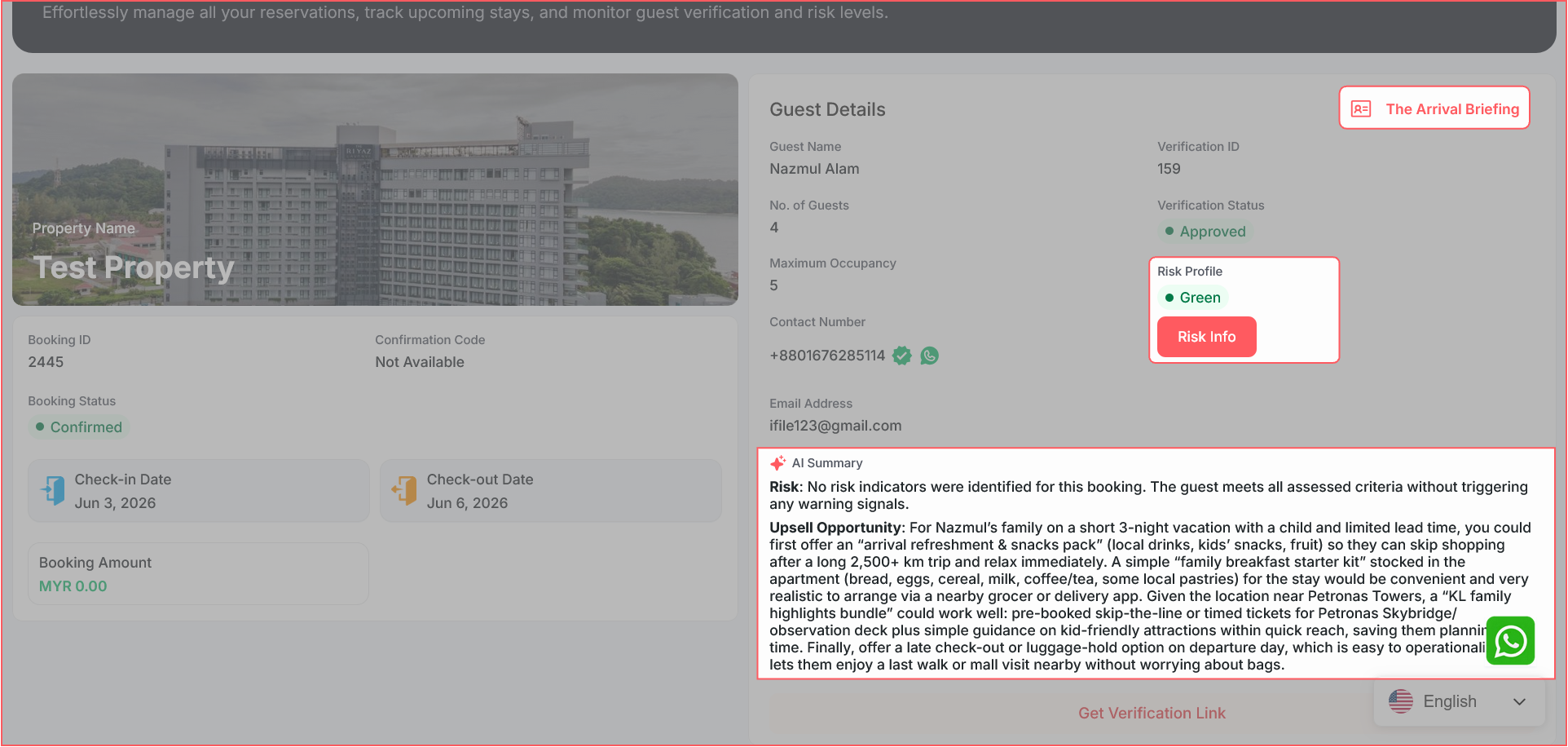
- Review the guest’s Arrival Briefing to access relevant booking and stay information
- Review the guest’s Risk Score to better assess potential booking risks
- Read the AI-generated Summary for an overview of the guest verification results
- View booking details: Click the Eye icon next to a booking to open and review details
Step 15: Setup Automated Messages
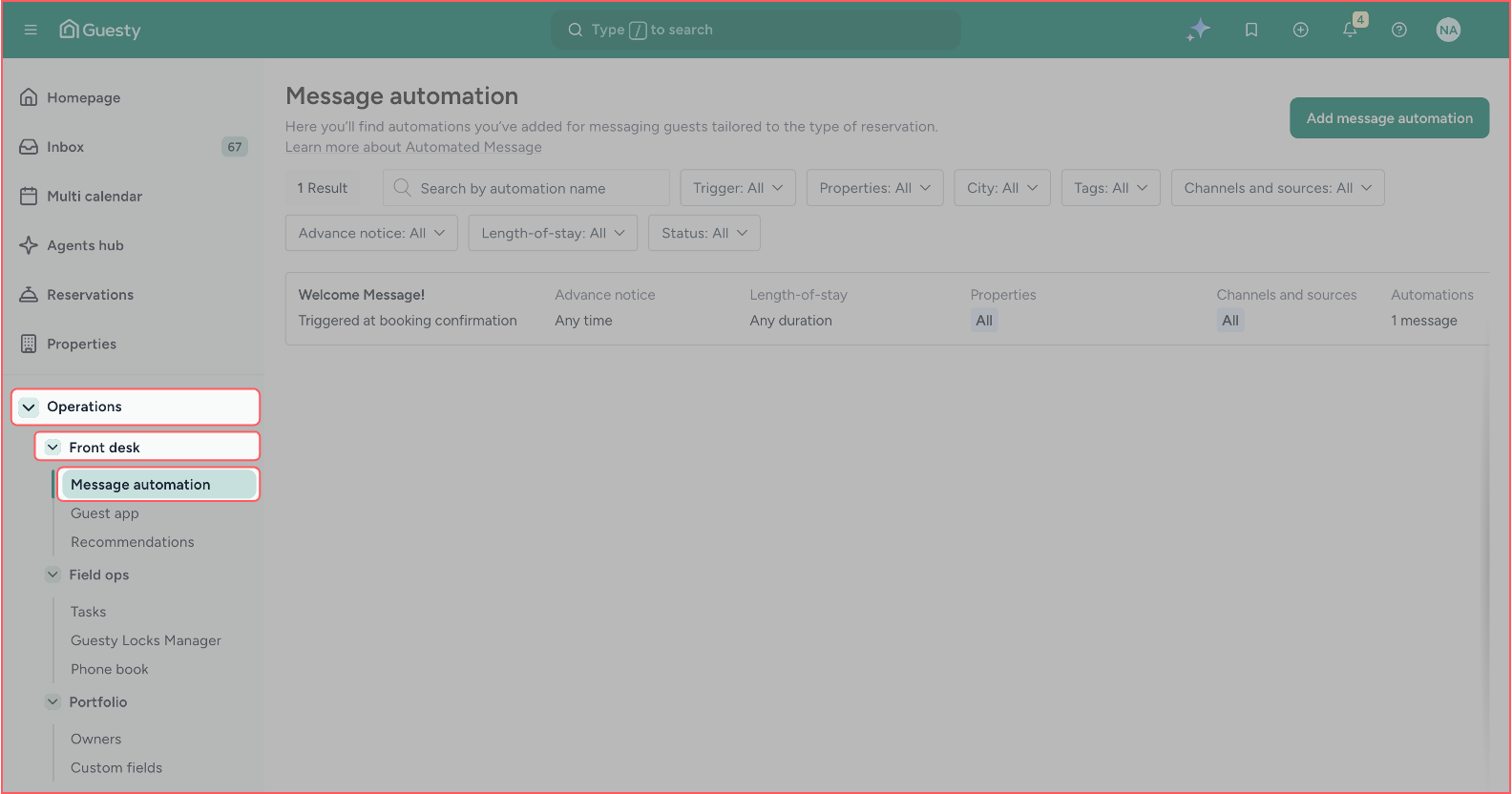
- Head over to your Guesty account and navigate to: Left Sidebar → Operations → Front desk → Message automation
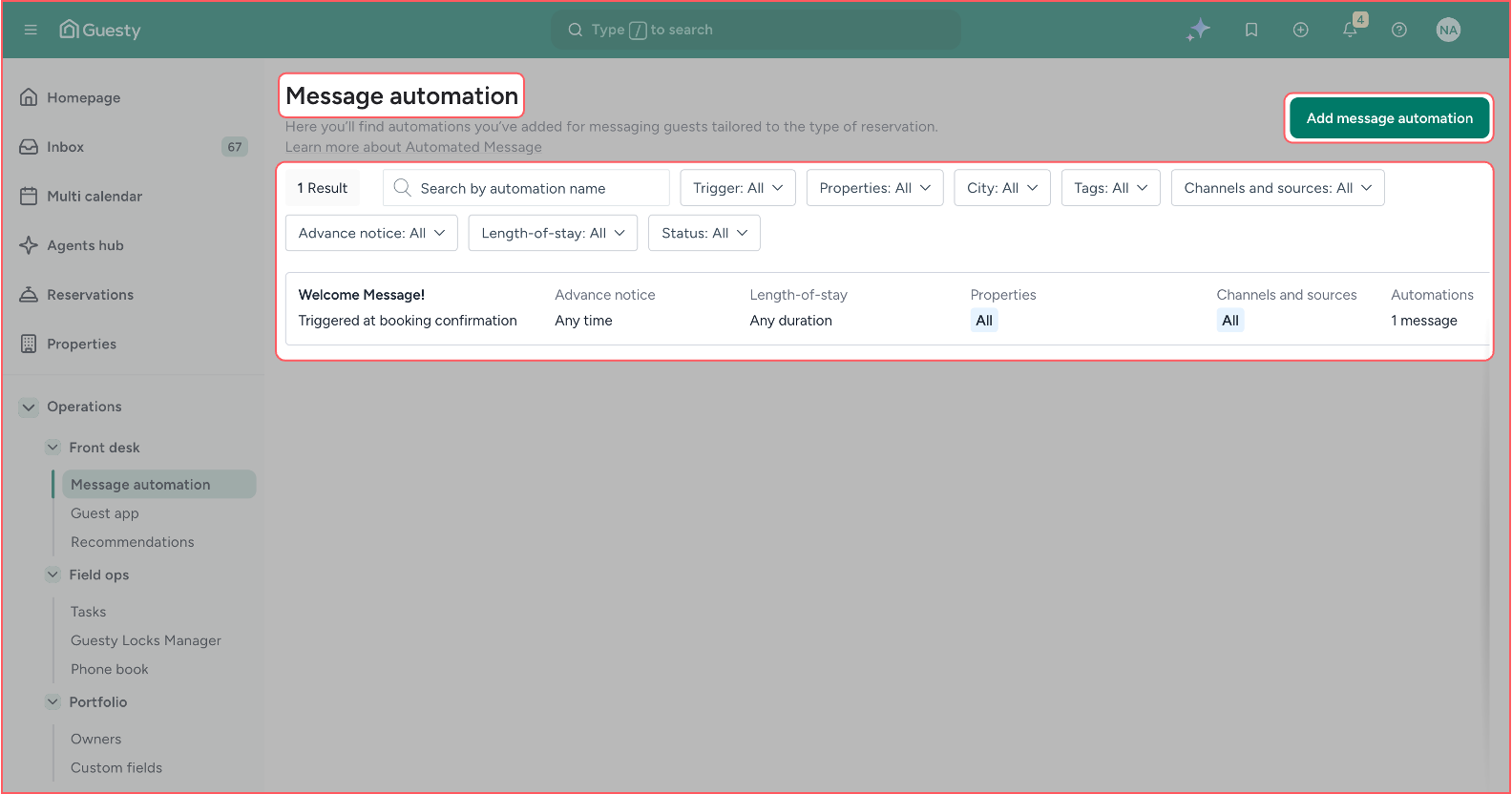
- You will be redirected to the following “Message automation” page. Where you can view and manage the list of automated messages. You need to add a new automation message by clicking the “Add message automation” button.
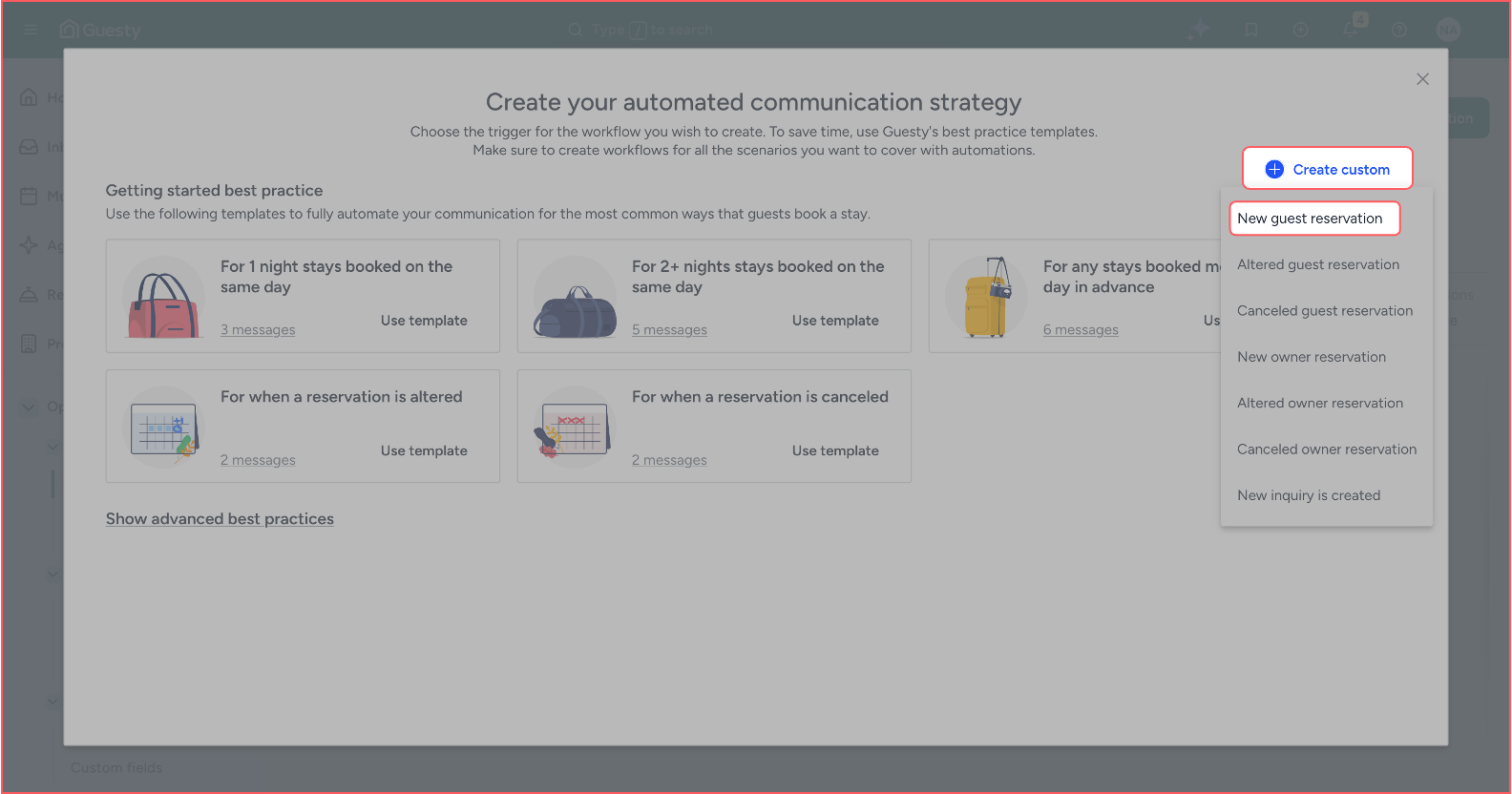
- A pop-up window will appear from where you need to click the “Create custom” button. Then a dropdown will appear, from which you need to click the “New guest reservation” button.
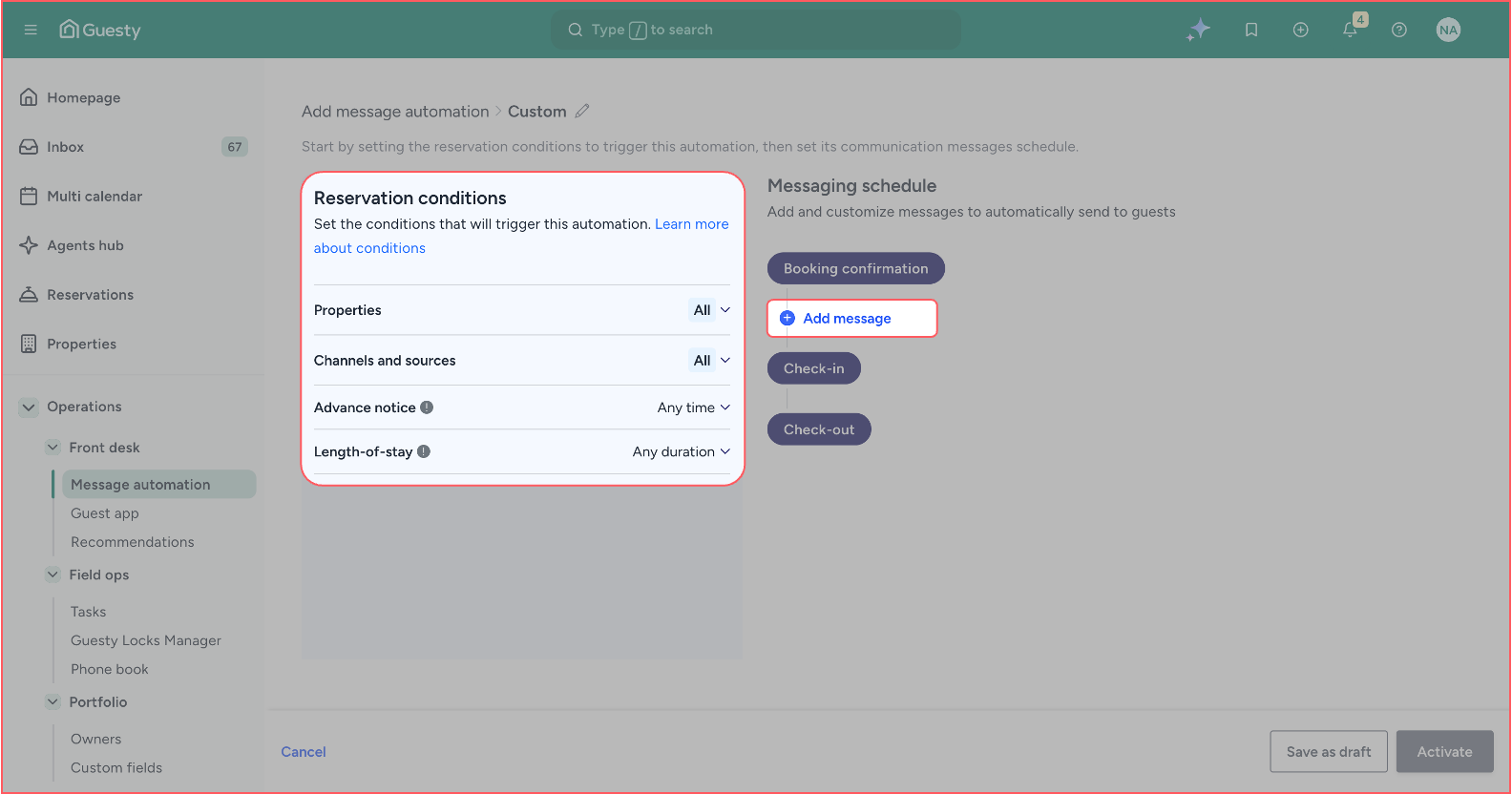
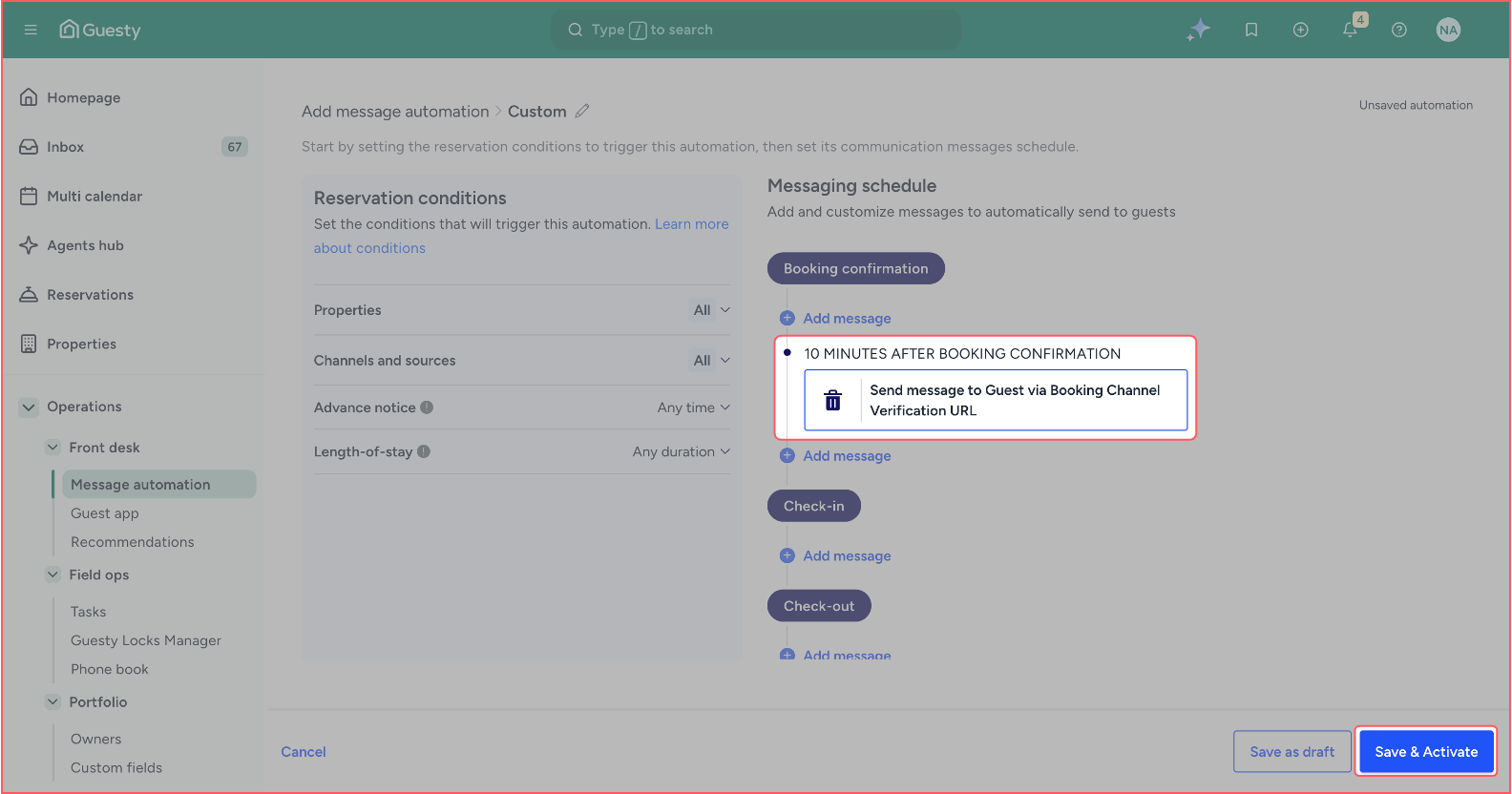
- You will be redirected to the “Automation Setup” page to set up the message automation. On the left of the page, you can exclude any property or channels/sources. On the right side of the page, click the “Add message” button below the “Booking confirmation” tag.
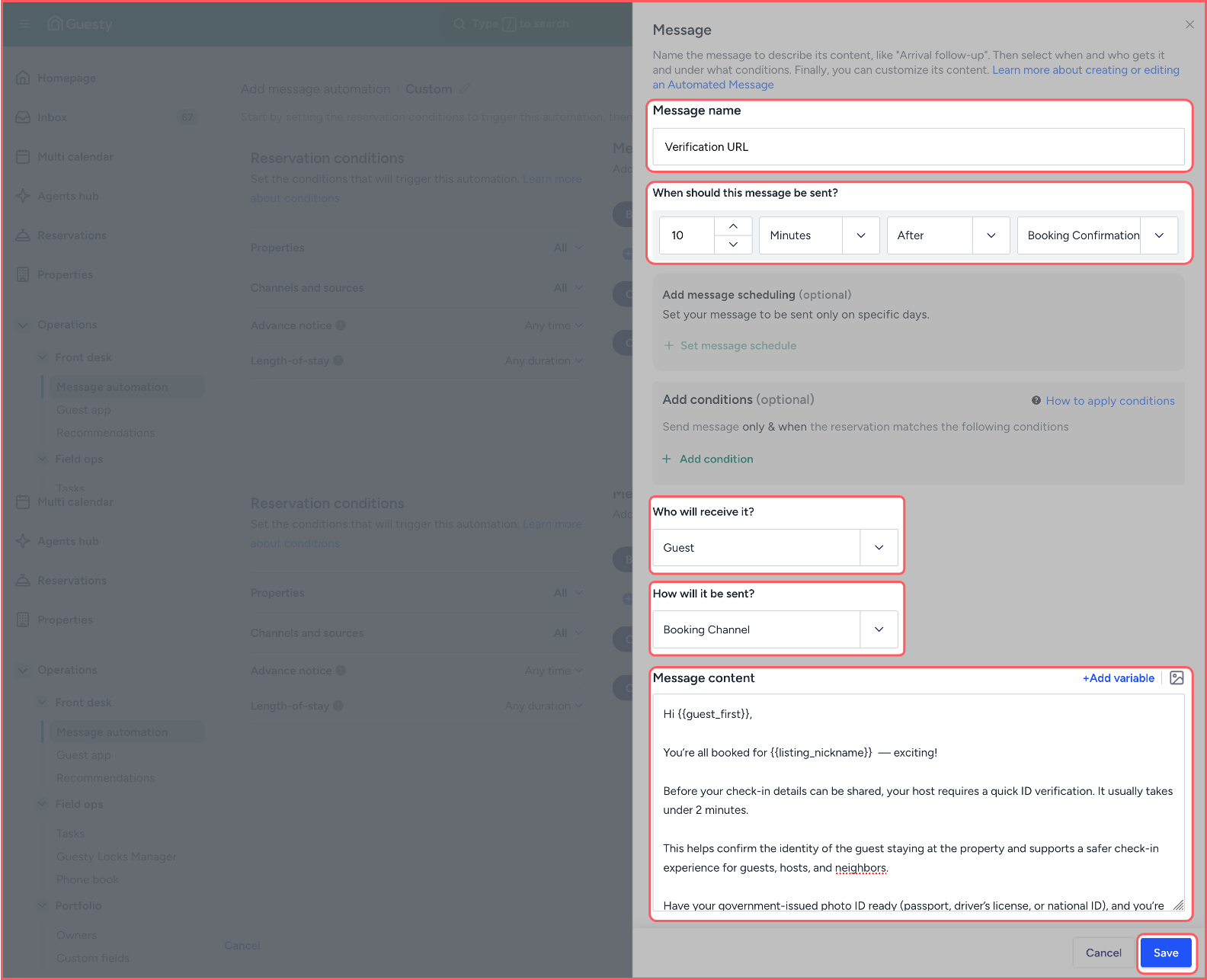
- A pop-up will appear from the right side of the screen, where you need to set the following parameters and click the “Save” button:
- Message name: Verification URL
- When should this message be sent: 10 minutes after Booking Confirmation
- Who will receive it: Guest
- How will it be sent: Booking Channel
- Message content:
You’re all booked for {{listing_nickname}} — exciting!
Before your check-in details can be shared, your host requires a quick ID verification. It usually takes under 2 minutes.
This helps confirm the identity of the guest staying at the property and supports a safer check-in experience for guests, hosts, and neighbors.
Have your government-issued photo ID ready (passport, driver’s license, or national ID), and you’re ready to get started.
This is a host requirement managed securely by SafeGuest and is not imposed by the booking platform. Your data is encrypted and protected in line with our privacy policy.
You’re almost set! Once your ID verification is complete, your check-in details can be released.
Complete your ID verification here:
{{reservation_verification_link}}
Questions? Confirm anytime with your host via the booking platform using Booking Confirmation Code {{confirmation_code}} .
— Team SafeGuest
- Once the message is saved, then in the “Automation Setup” page, you will see the message listed. Click the “Save & Activate” button.
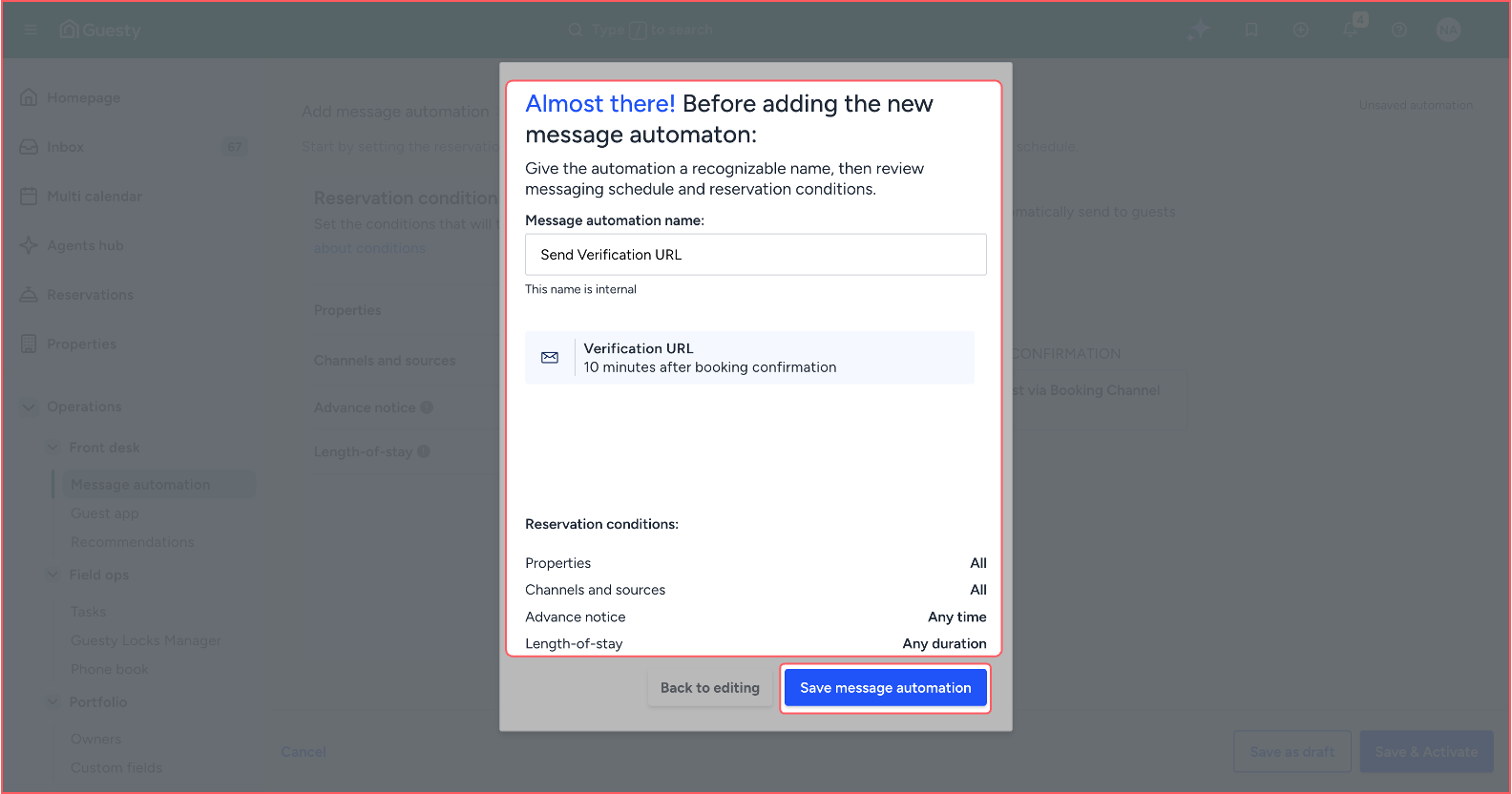
- A confirmation pop-up window will appear. You just need to review it and click the “Save message automation” button.
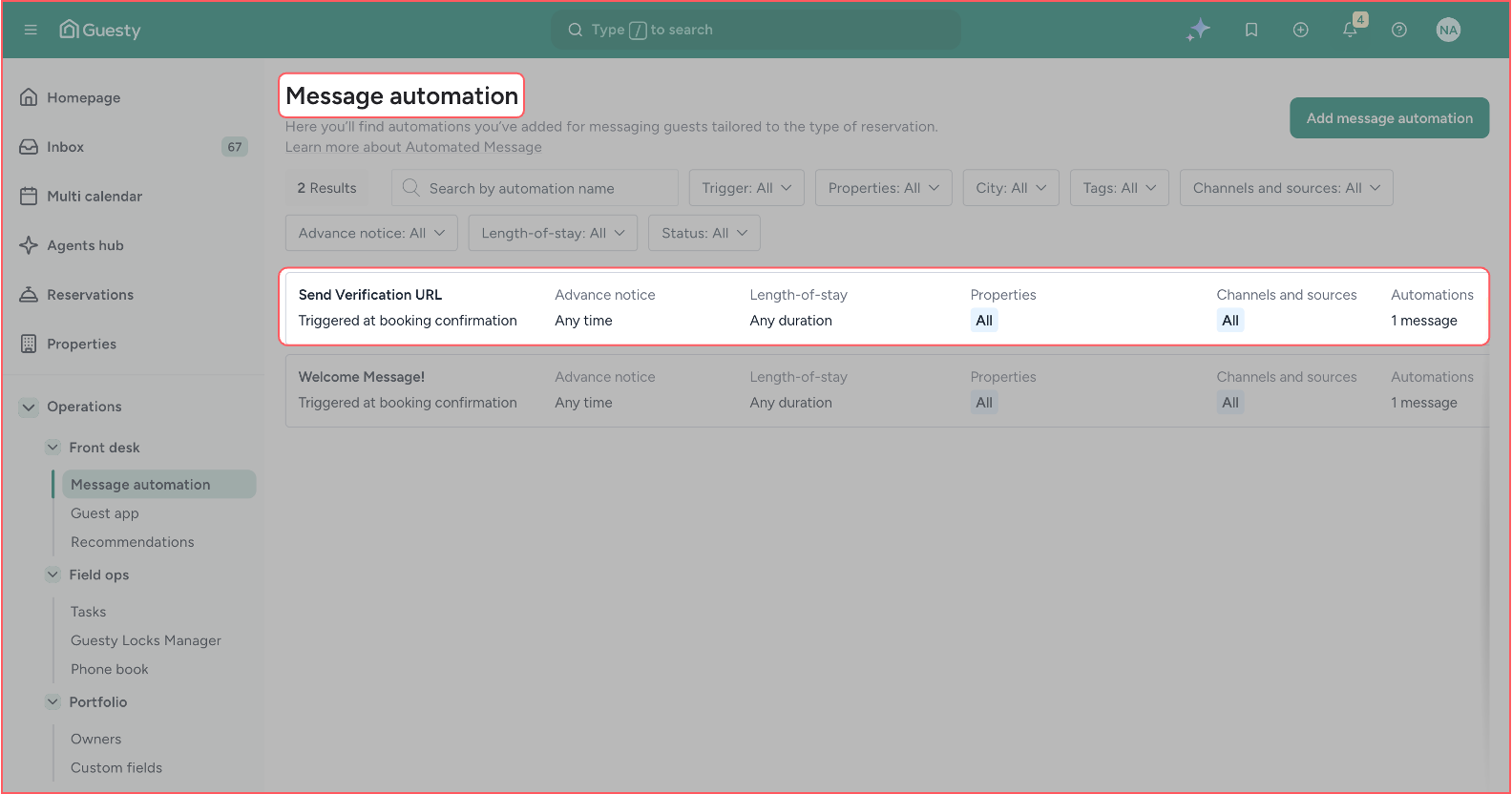
- You will be redirected to the “Message automation” page, where you can see the new massage automation listed.
Know before they knock.
Safeguest Prevent verifies every guest before arrival. Free for hosts.